
Google Play Store PC
Google Play is Google's digital distribution platform. On Windows, Google offers Play content through the browser and Google Play Games on PC.
52.9 MB

NetLimiter is a Windows tool from LockTime Software for monitoring network traffic per application and limiting or blocking each app's bandwidth.
Average 0.0 · ratings: 0
Thank you! Your rating is saved; you can change it. Could not save the rating. Please try again later. Too many ratings from your network today. Please try again tomorrow. The average appears after 5 ratings.
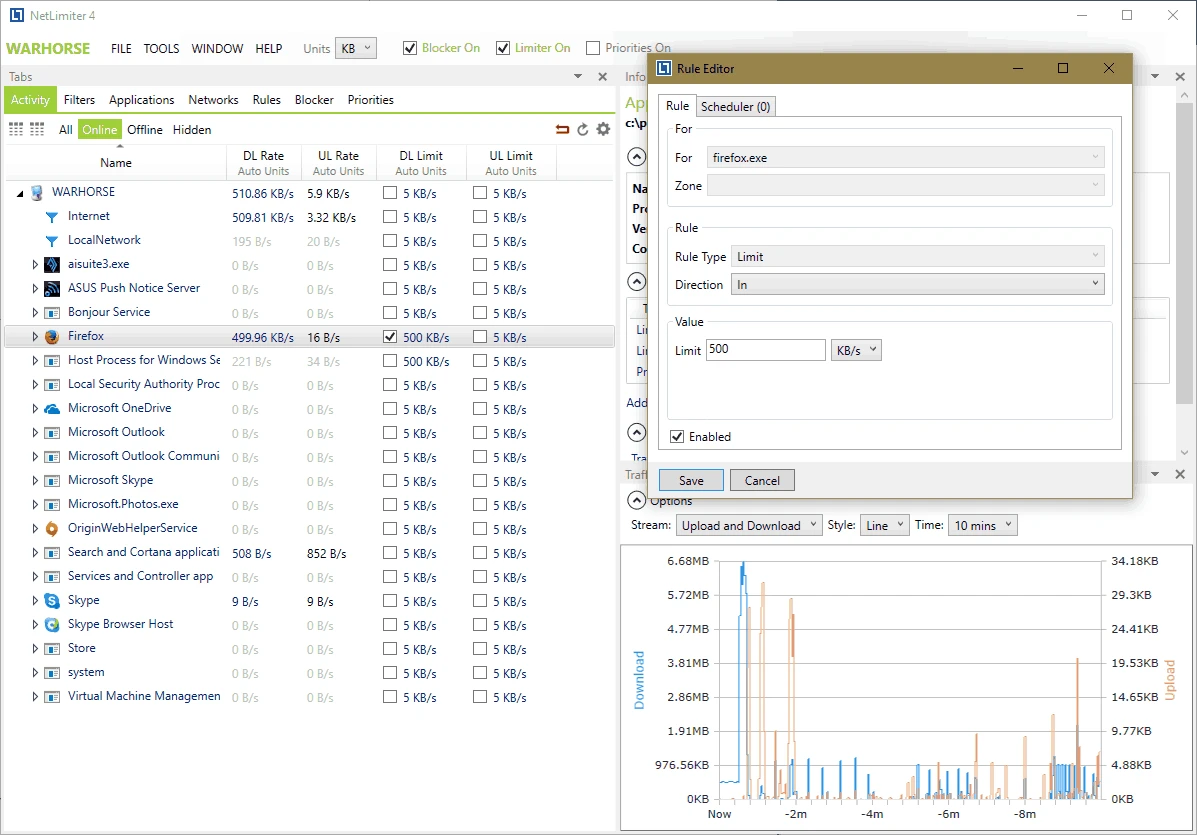
NetLimiter 5.3.26.0 is a network traffic control and monitoring program for Windows from LockTime Software, developed since 2005. You download NetLimiter when something is eating your internet connection and you want to see which app it is, slow it down, or block it entirely.
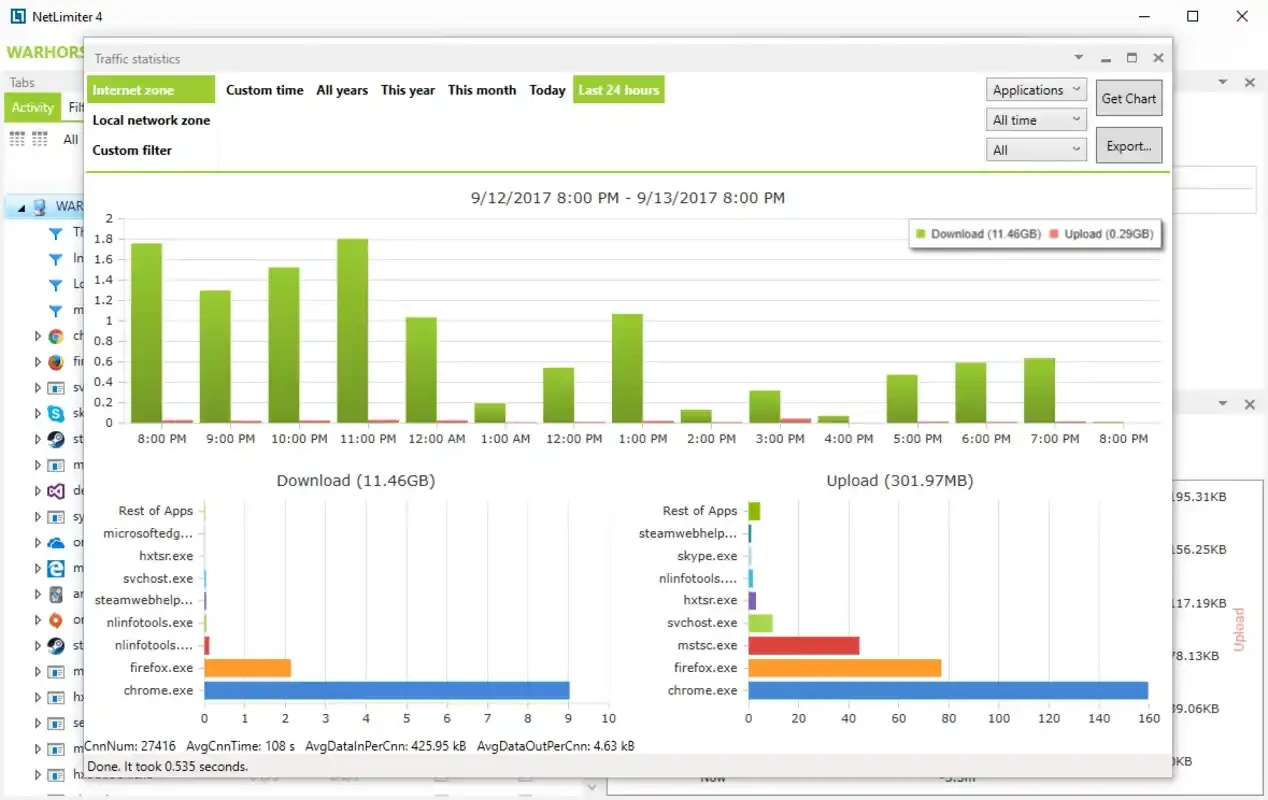
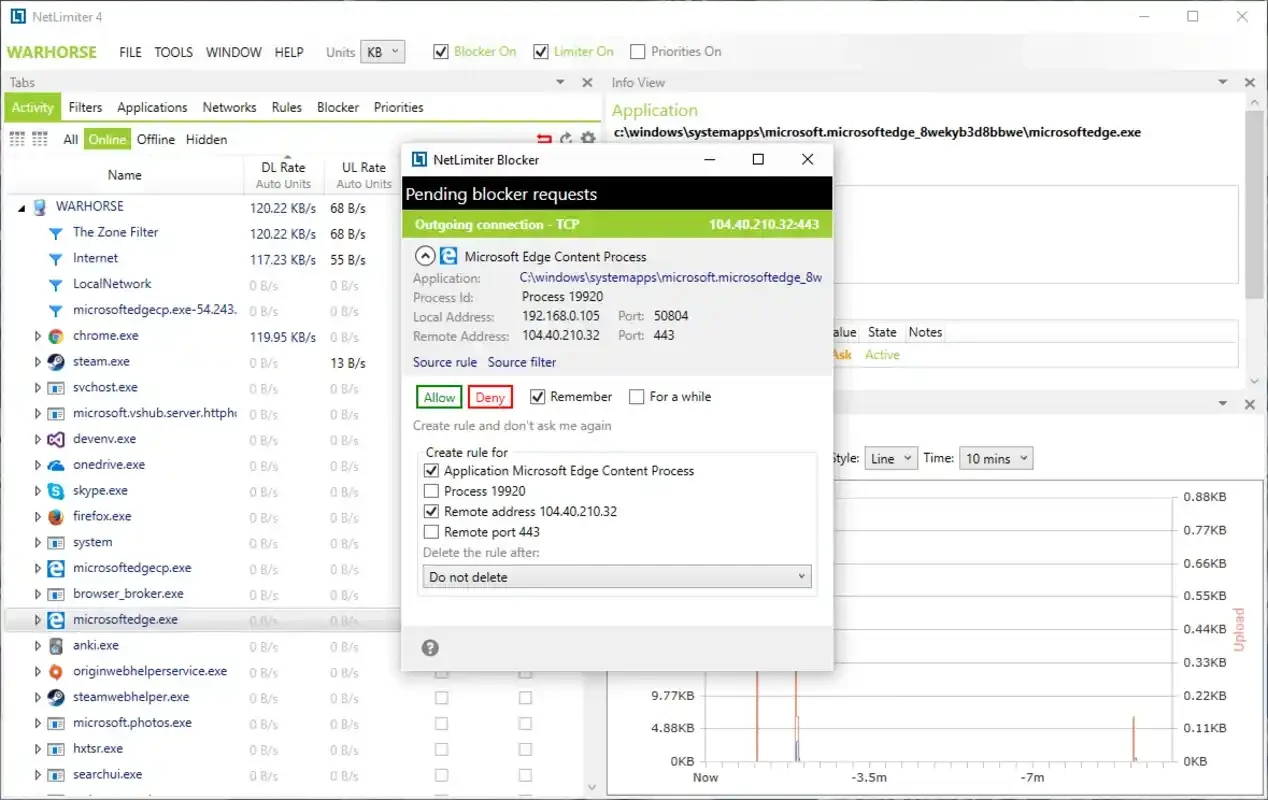
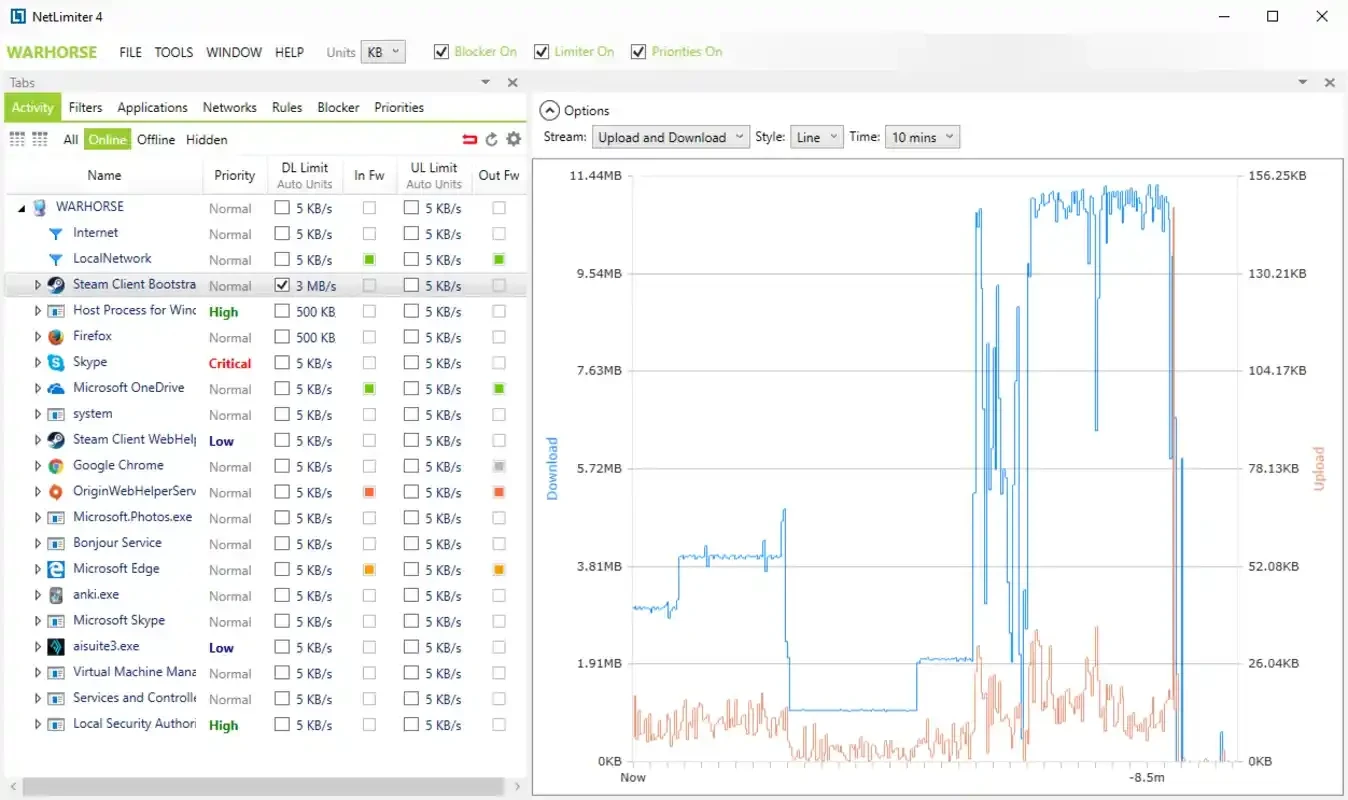
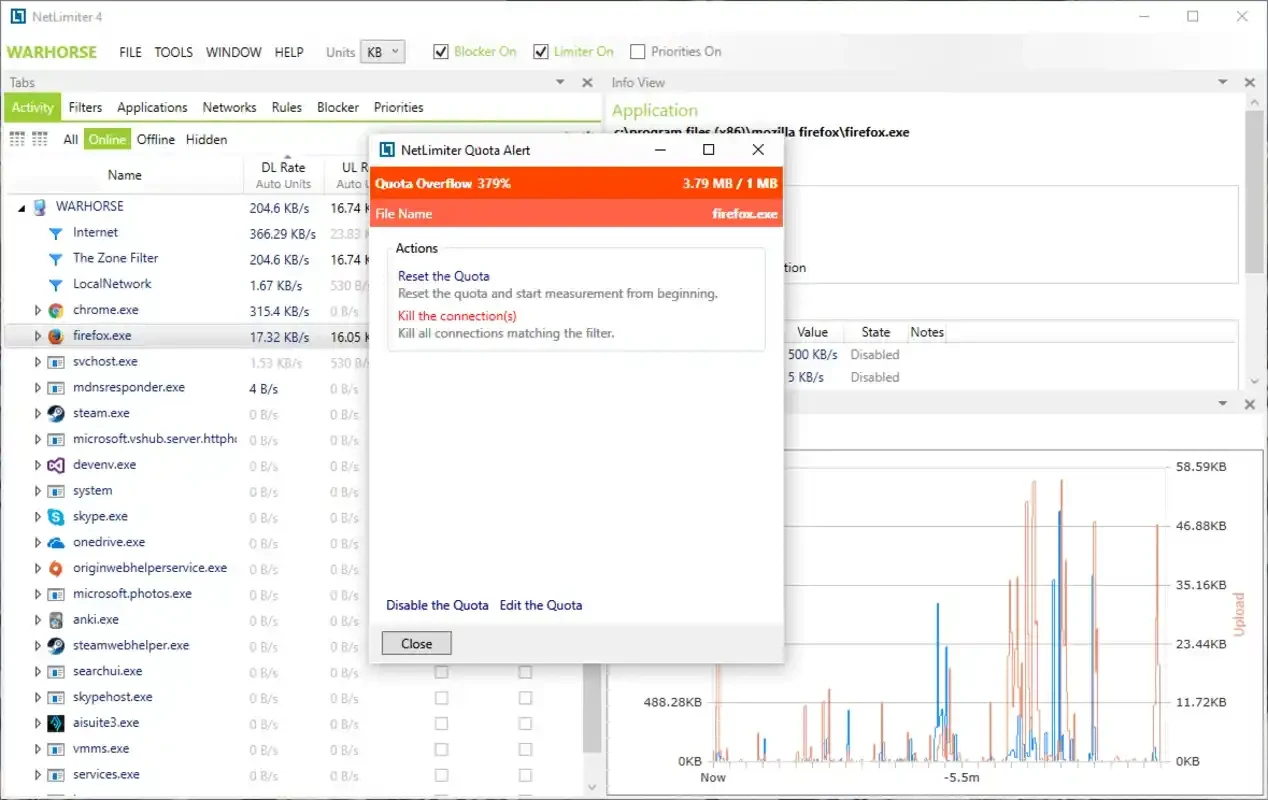
Windows shows total network usage, but it gives little control over how bandwidth is shared between programs. NetLimiter hooks into the network stack and lists every application and every connection with its current download and upload speed. From that list you can set a limit on any app: for example, keep a game launcher's updates below a certain speed so that a video call stays smooth, or give a torrent client only part of your upload. Limits can apply to a single connection, an application or a group of apps, and they can be switched on by schedule or by conditions. The program also works as an application firewall: it can ask you when a program tries to connect for the first time and remember your decision to allow or deny it. A statistics module stores traffic history, so you can see how much data each app used over a day, week or month, which is useful on metered connections. The release notes list changes in each version.
LockTime offers NetLimiter in several editions with different feature sets, from basic monitoring and limiting to full rules, firewall and statistics. You can try the program before buying; current editions and prices are on the official website.
The installer is about 10.61 MB according to catalogue data.
NetLimiter uses a kernel network driver, so install only the official build. Cracked versions of network tools are a common way to spread malware. A strict blocker can also cut off Windows updates or security software; review the rules if something stops working.
Gamers who want low ping while downloads run, people on slow or capped connections, parents who want to throttle certain apps, and administrators who need to see what traffic a PC generates.
For monitoring only, NetSpeedMonitor and Wireshark on our site are useful. TCP Optimizer tunes connection settings, and Speedtest by Ookla measures your actual line speed.
Google Play is Google's digital distribution platform. On Windows, Google offers Play content through the browser and Google Play Games on PC.
Media Creation Tool is a free Microsoft utility that downloads Windows and turns it into a bootable USB flash drive or an ISO file.

LDPlayer is an Android emulator for Windows that runs mobile apps and games on a computer.

BlueStacks is an Android emulator for Windows that lets you run Android apps and games on your PC.
Rufus is a free Windows utility that turns a USB stick into a bootable installer. The current version is 4.15.

PC App Store is a free software store for Windows from Baidu for finding, installing and updating PC programs. This page covers version 5.0.1.8682.

Uptodown App Store for Windows is the desktop client of Uptodown, a marketplace for desktop software and mobile apps. This page covers version 1.0.3.
NoxPlayer is a free Android emulator from Bignox for Windows and macOS that runs mobile games and apps on a computer with keyboard and mouse control.